

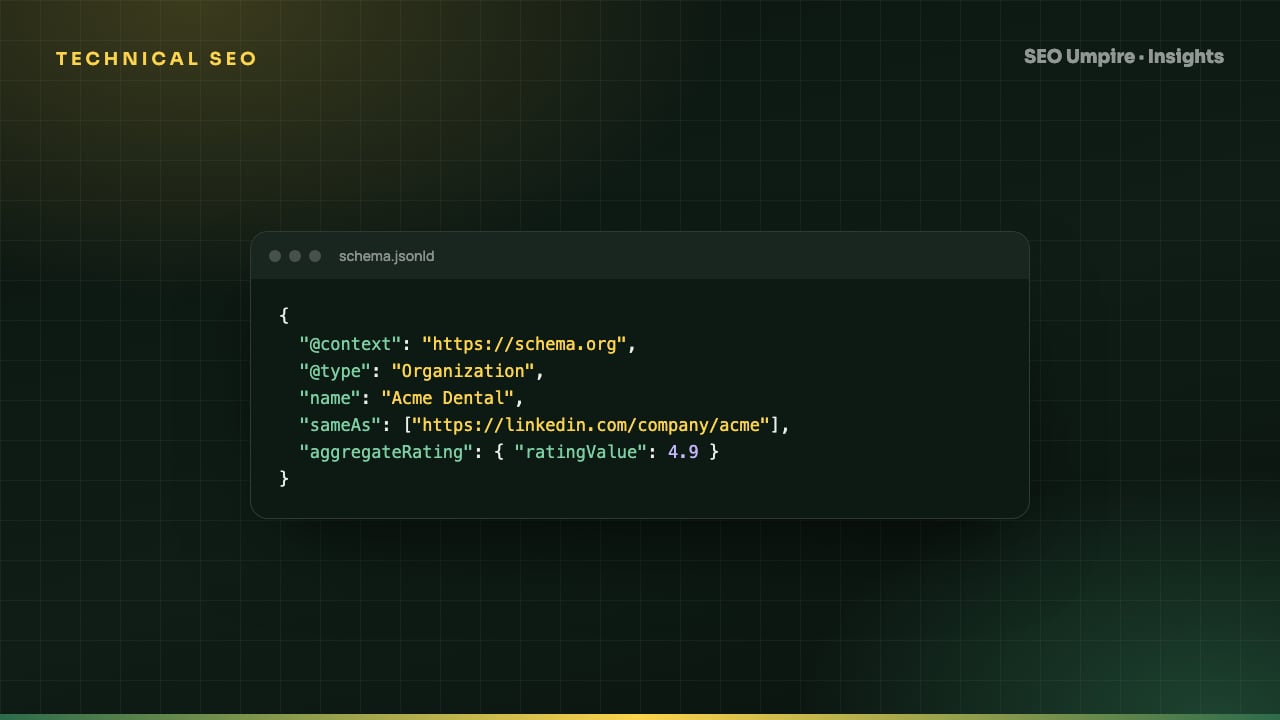
JSON-LD Schema Markup: A Practical Guide With Examples
JSON-LD schema markup is a script block that describes a page's entities to search and AI engines. Which Schema.org types to use per page, with examples.
JSON-LD schema markup is a block of JavaScript Object Notation placed in a <script type="application/ld+json"> tag that describes the entities on a page (an article, a product, a business, a set of questions) using the Schema.org vocabulary. It is Google's recommended structured data format because it lives in one place, does not touch the visible HTML, and is easy to generate from a CMS. Correct markup makes a page eligible for rich results such as star ratings, FAQ dropdowns, breadcrumbs and prices, and gives search and AI engines an unambiguous statement of what the page is about.
This guide covers how JSON-LD works, which types to use on which pages, complete examples, validation, and the mistakes that get markup ignored.
What is JSON-LD and why does Google recommend it?
Structured data can be written three ways: Microdata and RDFa, which add attributes to HTML elements, and JSON-LD, which is a separate script block. Google supports all three and recommends JSON-LD for practical reasons:
- It is decoupled from the layout, so redesigns do not break it.
- It can be generated by a template from the same fields that render the page.
- Several entities can be described in one block, with relationships between them.
- It is readable by developers and by the AI systems that increasingly consume it.
Schema.org is the shared vocabulary: hundreds of types (Article, Product, Organization, Event) and their properties (name, author, datePublished, price).
Does schema markup help SEO?
Structured data is not a ranking factor on its own. Its effects are:
- Rich results. Eligible pages can show ratings, prices, availability, FAQ expanders, breadcrumbs, event dates, recipe details and more. Rich results take more space and generally raise click-through rate.
- Disambiguation. Markup tells the engine that "Apple" on this page is an Organization, not a Fruit, and that a date is the publication date, not an event date.
- Entity understanding for AI. Generative engines read structured data as a clean statement of who published what, when, about which entity. That feeds generative engine optimization and the chances of being cited by AI tools.
Which schema types should you use on which pages?
| Page type | Required or core types | Useful additions | Rich result potential |
|---|---|---|---|
| Every page | Organization (or LocalBusiness), WebSite | SearchAction on WebSite | Sitelinks search box, knowledge panel |
| Inner pages | BreadcrumbList | Breadcrumb trail in results | |
| Blog post or guide | Article or BlogPosting with author, datePublished, dateModified, image | FAQPage, HowTo, Person for author | Article rich result, FAQ expanders |
| Product | Product with Offer (price, currency, availability) | AggregateRating, Review, Brand | Price, stock, stars |
| Category or list | ItemList, CollectionPage | Carousel eligibility | |
| Local business | LocalBusiness subtype with address, geo, openingHours | FAQPage | Local knowledge panel data |
| Service | Service with provider and areaServed | FAQPage | |
| Event | Event with startDate, location, offers | Event rich result | |
| Job | JobPosting | Google for Jobs | |
| Software | SoftwareApplication with offers | AggregateRating | App details |
| Video | VideoObject | Video rich result, key moments |
Use one page-type schema per page. Do not mark a blog post as a Product because you want stars.
JSON-LD examples
Article with author, publisher and FAQ
{
  "@context": "https://schema.org",
  "@graph": [
    {
      "@type": "Organization",
      "@id": "https://seoumpire.com/#org",
      "name": "SEO Umpire",
      "url": "https://seoumpire.com/",
      "logo": "https://seoumpire.com/img/logo.png",
      "sameAs": ["https://www.linkedin.com/company/seoumpire"]
    },
    {
      "@type": "WebSite",
      "@id": "https://seoumpire.com/#website",
      "url": "https://seoumpire.com/",
      "name": "SEO Umpire",
      "publisher": { "@id": "https://seoumpire.com/#org" }
    },
    {
      "@type": "BreadcrumbList",
      "itemListElement": [
        { "@type": "ListItem", "position": 1, "name": "Insights", "item": "https://seoumpire.com/insights" },
        { "@type": "ListItem", "position": 2, "name": "JSON-LD Schema Markup Guide", "item": "https://seoumpire.com/insights/json-ld-schema-markup-guide" }
      ]
    },
    {
      "@type": "Article",
      "headline": "JSON-LD Schema Markup: A Practical Guide With Examples",
      "description": "Which Schema.org types to use per page, with examples and validation steps.",
      "image": "https://seoumpire.com/og/json-ld-schema-markup-guide.jpg",
      "datePublished": "2026-09-09",
      "dateModified": "2026-09-09",
      "author": { "@type": "Person", "name": "Author Name", "url": "https://seoumpire.com/about" },
      "publisher": { "@id": "https://seoumpire.com/#org" },
      "mainEntityOfPage": "https://seoumpire.com/insights/json-ld-schema-markup-guide",
      "inLanguage": "en"
    },
    {
      "@type": "FAQPage",
      "mainEntity": [
        {
          "@type": "Question",
          "name": "What is JSON-LD schema markup?",
          "acceptedAnswer": { "@type": "Answer", "text": "JSON-LD is a script block of type application/ld+json that describes a page's entities using Schema.org vocabulary." }
        }
      ]
    }
  ]
}
The @graph array holds several entities in one block. @id values let one entity reference another, so the Article's publisher points at the Organization without repeating it.
Product with offer and rating
{
  "@context": "https://schema.org",
  "@type": "Product",
  "name": "Rank Tracker Pro",
  "image": "https://example.com/img/rank-tracker.jpg",
  "description": "Daily rank tracking by keyword, country and device.",
  "brand": { "@type": "Brand", "name": "SEO Umpire" },
  "sku": "RT-PRO",
  "offers": {
    "@type": "Offer",
    "url": "https://example.com/pricing",
    "priceCurrency": "USD",
    "price": "29.00",
    "availability": "https://schema.org/InStock"
  },
  "aggregateRating": { "@type": "AggregateRating", "ratingValue": "4.8", "reviewCount": "126" }
}
Price, currency and availability are required for the price rich result. Ratings must come from real reviews shown on the page.
How to add JSON-LD schema markup: step by step
- Inventory your page types. List templates: home, article, product, category, contact, about, landing. Each gets a schema set from the table above.
- Map CMS fields to properties. Title to
headline, publish date todatePublished, featured image toimage, author profile toPerson. Every property should come from data that renders on the page. - Generate the block in the template, not by hand per page. On custom builds, a shared helper outputs the
@graph. On WordPress, the SEO Umpire plugin emits the sitewide and per-type blocks automatically. For one-off pages, the AI schema generator builds a block from the page URL. - Place the script in the
<head>or at the end of the<body>. Google reads both. - Validate before deploying. Run the Rich Results Test for Google eligibility and errors, and the Schema.org validator for vocabulary correctness. Fix every error; review warnings, which flag recommended but optional properties.
- Deploy and recrawl. Request indexing for a sample page in Search Console.
- Monitor. The Enhancements reports in Search Console list errors and valid items per type across the site. A template bug shows up as hundreds of errors overnight, so check weekly. A site audit also validates every page's JSON-LD in one crawl.
What are the rules for valid, safe markup?
- Describe only visible content. The FAQ in your markup must be on the page. The rating must be shown. Hidden or invented data violates Google's guidelines and can trigger a manual action that removes rich results sitewide.
- Match the page. One Article per article page, not an Article on the homepage. One Product for a product page, not for a category.
- Use absolute HTTPS URLs for
url,image,itemandsameAs. - Use ISO 8601 dates (
2026-09-09or2026-09-09T10:00:00+04:00). - Escape properly. JSON-LD is JSON; a stray quote or trailing comma invalidates the whole block.
- Keep it in sync. When content changes, the markup must change with it. Template generation handles this; pasted blocks rot.
- Do not duplicate across URLs. If the same Article block appears on a tag page and the post, you have a duplicate content problem as well as a schema one. See canonical tags and duplicate content.
Which schema types matter most for AEO and GEO?
For answer and generative engines, four types pull the most weight:
- Article with author and dates: establishes who said it and when, which models weigh for trust and freshness.
- FAQPage: gives engines a question-and-answer pair in the exact shape they present. See the FAQ schema guide.
- Organization with
sameAs: ties the domain to its official profiles so the entity is unambiguous. - Product or SoftwareApplication with offers: lets engines quote price and features in recommendation answers.
HowTo markup no longer triggers a rich result in Google for most sites, but it still describes step content cleanly for other engines, so keep it where the content is a real procedure.
Frequently asked questions
What is JSON-LD schema markup?
JSON-LD is a JavaScript Object Notation format for linked data. In SEO it is a script block of type application/ld+json that describes the page's entities (article, product, organization, FAQ) using Schema.org vocabulary so search and AI engines can read them unambiguously.
Does schema markup improve rankings?
Structured data is not a direct ranking factor. It qualifies pages for rich results (stars, FAQs, breadcrumbs, prices) that raise click-through rate, and it helps engines and AI systems understand entities, which supports visibility in answers.
Where do I put JSON-LD on the page?
Anywhere in the HTML, in the head or the body, inside a script tag with type application/ld+json. Google processes it either way, including when injected by JavaScript, though static output is more reliable for other crawlers.
Can I use multiple schema types on one page?
Yes. Use a graph array or several script blocks. A blog post commonly has Organization, WebSite, BreadcrumbList, Article and FAQPage together, as long as each describes content visible on the page.
How do I test schema markup?
Paste the URL or code into Google's Rich Results Test for eligibility and errors, and into the Schema.org validator for syntax. After deployment, watch the Enhancements section of Google Search Console for sitewide errors.
Free audit, 32 checks, prioritized fixes and a PDF report in about 15 seconds. No signup.
Keep reading
 Technical SEO
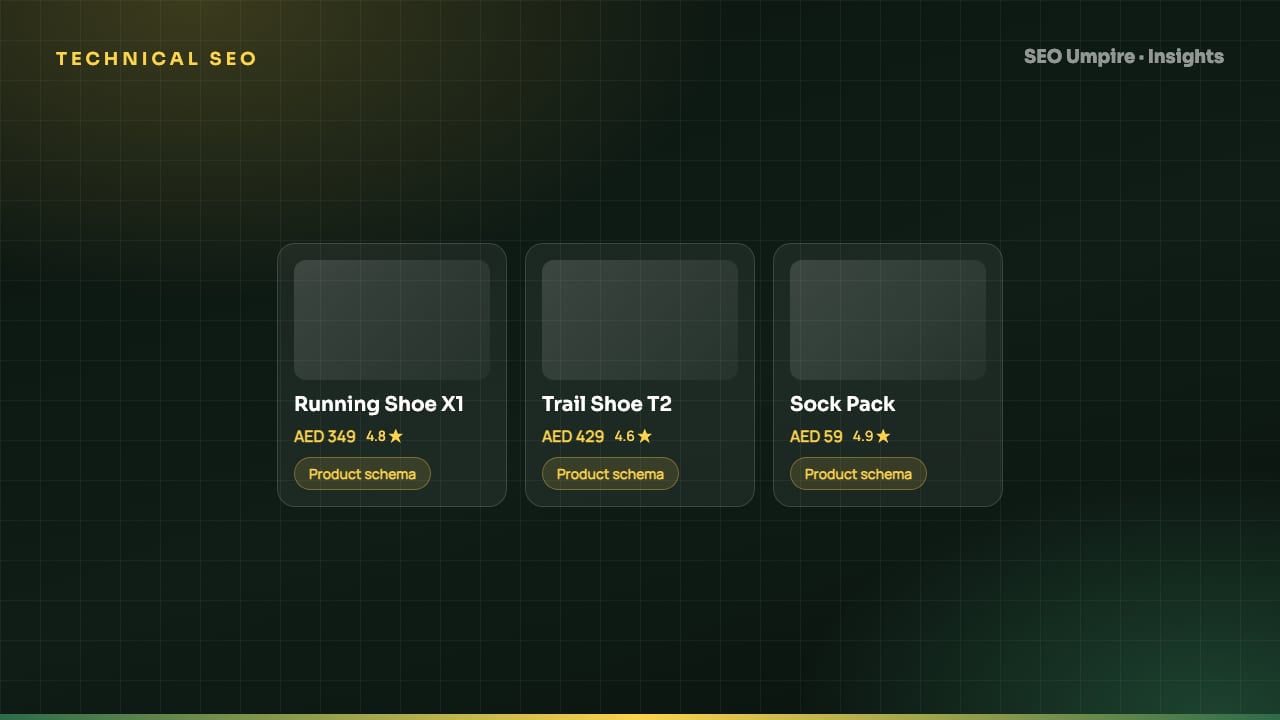
Ecommerce SEO Guide: How to Rank Product and Category Pages
Ecommerce SEO in 8 steps: site architecture, category pages that rank, unique product content, Product schema, faceted navigation, crawl budget and page speed.
 Technical SEO
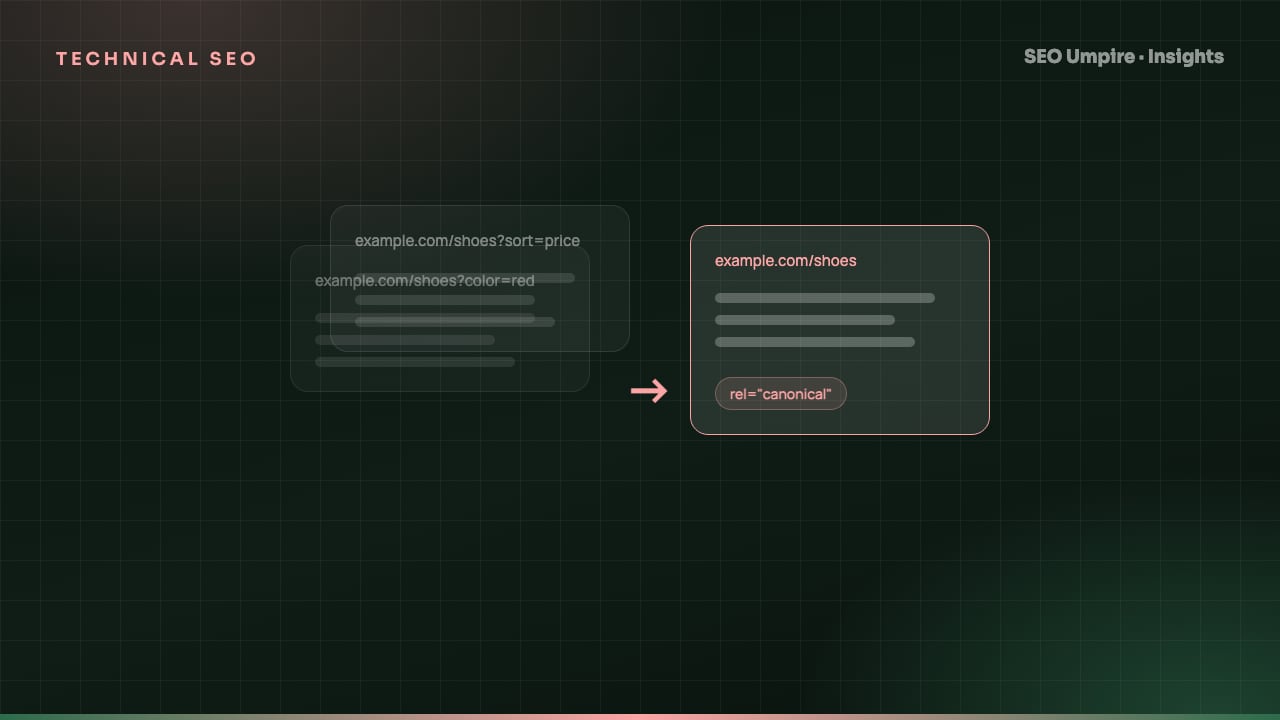
Canonical Tag Guide: Fix Duplicate Content the Right Way
A canonical tag is a head link element naming the preferred URL among duplicate pages so search engines index one version. When to use it, syntax and mistakes.
 Technical SEO
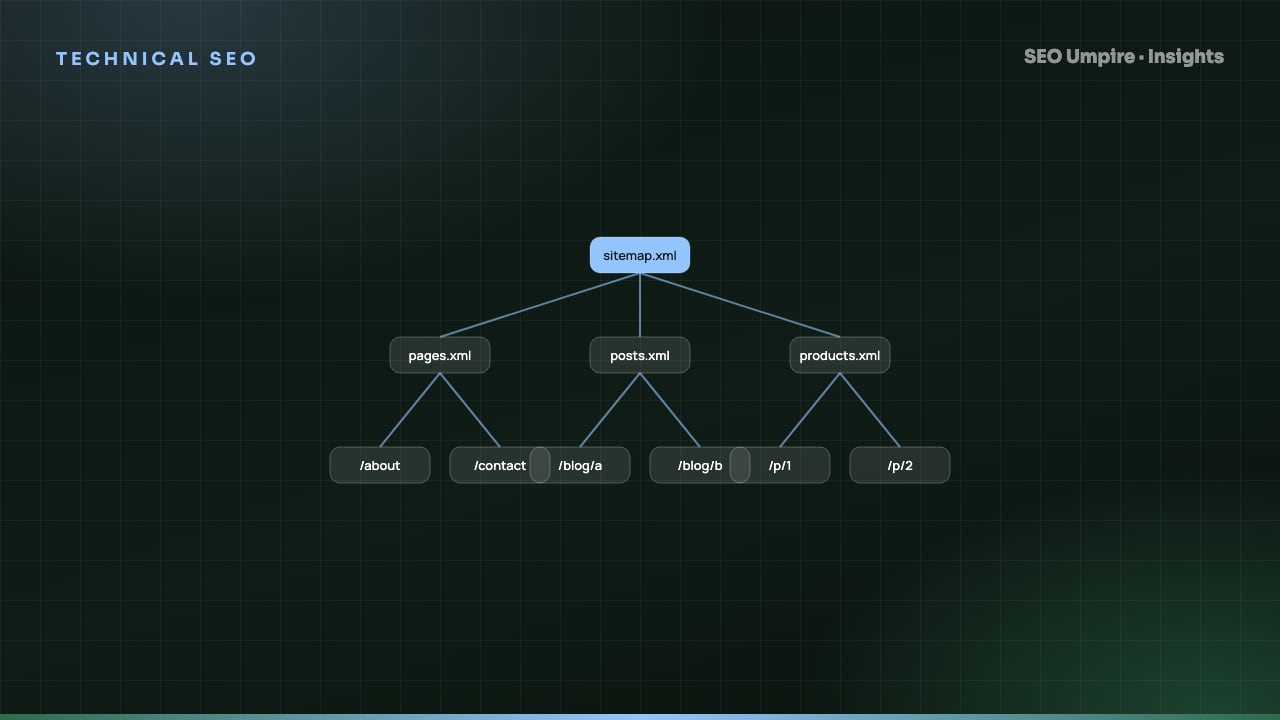
XML Sitemap and Robots.txt Guide: Setup, Rules, Mistakes
An XML sitemap lists URLs you want indexed; robots.txt tells crawlers which paths they may fetch. How to build both right: syntax, limits, examples, mistakes.
One short email a week: what changed in Google and AI answers, and the fixes that matter. No spam, unsubscribe any time.